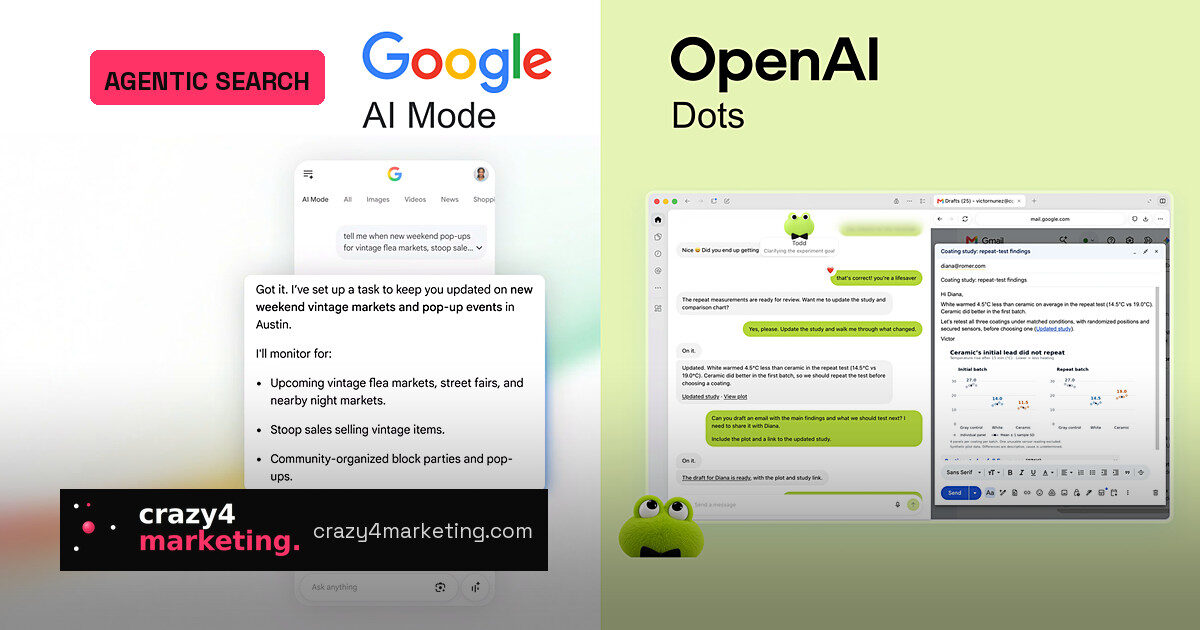
Google began rolling out AI Mode’s information monitoring to all users on Sept. 28, after an earlier period for Ultra and Pro subscribers. One day later, OpenAI launched dots, always-on ChatGPT agents with their own cloud computer, browser and connected app access.
The products are not the same. Google’s monitoring lives inside Search and sends updates when new information matches a request. OpenAI’s dots take on ongoing tasks, prepare drafts and can work within approved guardrails. But both share a behavior marketers should care about: the request stays active after the user leaves.
Think of it as a standing instruction rather than a one-time query. A user describes a goal once, and the system keeps checking later against content that may not have existed at the first search.
Why it matters for SEO, local and retail
Standing requests change the visibility window. A page published after someone sets up a task can still enter a later update. For local businesses, Google’s examples include nearby new restaurants, pop-ups and holiday activities for kids. For retailers, the source list includes back-in-stock and price-drop notices, with Google’s Shopping Graph named as a source. For publishers, an article published after a task is created could be included in a subsequent update.
The practical lever is freshness. The closer your data is to real time, the better your chance of being the update.
- Keep Business Profile and Merchant Center data current, as Google’s AI features page advises.
- Publish inventory, pricing, local events and structured data as they change.
- Do not treat a retrieval as a displayed link or a click; they are separate events.
- Watch Search Console’s generative AI reporting, which counts impressions when links are shown.
What remains unclear
Neither side has fully explained how sources are chosen for a specific update, what a dot’s public-web fetch looks like, or how citations appear. OpenAI says proactive research can read permitted sources and save private notes, but cannot directly control the browser. Google’s September post mentions suggested tasks rather than the helpful-links language used earlier.
That is a reminder to track what you can measure. A click-through is not the same as an impression, and an impression is not the same as your page being retrieved during an agent’s research.
What to do now
Treat standing instructions as a new persistent demand layer. For every high-intent page, ask what later condition would make it the update. If you can answer that with fresher data, faster structured feeds and a clean measurement model, you are playing the new game earlier than most.
Source: Search Engine Journal